
3 Simple Ways to Make Your IT More Resilient in 2026
Practical resilience habits for small offices: restore-tested backups, people-focused security awareness, and basic monitoring that catches problems early.
December 27, 2025 · 6 min read · Carlos Sanchez
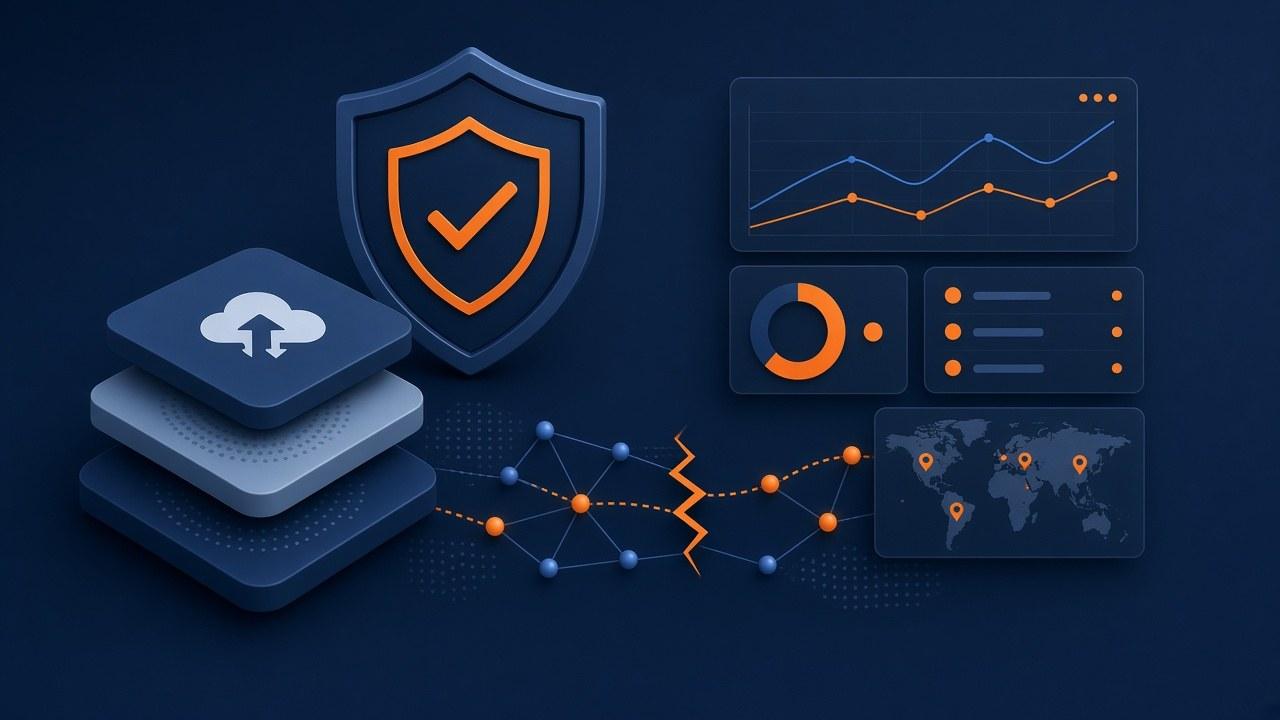
Resilience is boring habits that still happen in busy weeks
Working computers on a quiet Tuesday are not the whole story. The story is what happens after a bad update, a stolen laptop, a corrupted share, or a vendor outage that lasts longer than your patience.
Small offices do not need an enterprise maturity model. They need a few habits that survive staff turnover and busy season. Backups you have restored on purpose. People who pause before wiring money to a stranger. Monitoring somebody actually answers.
Three habits below. No fake statistics. No glossy framework. Just work you can put on a calendar.
Backups you have restored on purpose
Many offices assume files are safe until a crisis shows incomplete, encrypted, or unusable backups. Backup software reporting "success" is not the same as proving you can get a usable file, mailbox, or system image back.
Pick a cadence you can keep. Monthly or quarterly is fine for many small offices if you actually restore something each time. Rotate what you test: a random file share folder, a mailbox, a critical application database if you have one, and occasionally a full workstation or server image.
Write down who owns the test, where the restore landed, how long it took, and what failed. That note is more valuable than a green dashboard icon nobody questions.
Pay special attention to Microsoft 365 or Google Workspace. Many businesses discover too late that “the cloud keeps everything forever” is not the same as having a recoverable copy under their control with retention that matches real-world mistakes and ransomware timelines.
- Know what is covered: workstations, servers, Microsoft 365 / Google Workspace, line-of-business apps, and cloud file stores.
- Know retention: how far back you can go, and whether deleted items survive long enough for real-world discovery.
- Know access: who can start a restore if the usual admin is unavailable.
- Separate backup credentials from everyday admin accounts when your tooling allows it.
- Record the last restore test date where leadership can see it, not only in a technician’s notebook.
People still click things
Most security incidents that hurt small offices still start with ordinary mistakes: a convincing phishing message, a reused password, a USB stick from an unknown source, or a shared account that never got rotated after someone left.
Tools help. MFA, modern email filtering, and endpoint protection matter. They do not replace short, practical awareness for staff who handle invoices, customer data, or wire instructions.
Keep training concrete. Show real examples of invoice fraud and MFA fatigue prompts. Explain how to pause and verify unusual payment changes. Make reporting a suspicious message easy and non-punitive.
Offboarding is part of resilience. A former employee with lingering mailbox or VPN access is a quiet risk. Pair security habits with a checklist that removes accounts, devices, and shared credentials when people leave.
Do not let users be your only sensor
If the first time you hear about disk space, failed backups, or unusual sign-ins is when someone cannot work, you are running reactive by default.
Basic monitoring does not need to be elaborate. Disk capacity, backup job status, antivirus health, certificate expiry, firewall online status, and obvious authentication anomalies already prevent a long list of avoidable outages.
Pair monitoring with ownership. An alert that nobody is responsible for is just noise. Decide who triages after hours versus next business morning, and write that down.
For multi-location or hybrid teams, confirm that monitoring still covers the systems that matter when people are not in the office to notice a dead access point or a failed overnight job.
Quarterly checklist
Use this as a quarterly review with whoever owns IT for your office. Keep it short enough that it actually happens.
- Last restore test date and result recorded.
- MFA enabled on email and admin portals for people who can change banking or domain settings.
- Offboarding checklist includes accounts, devices, and shared mailboxes.
- Monitoring covers backups and a short list of "business stops if this fails" systems.
- Spare capacity plan for critical hardware (or a known vendor path for same-day parts).
- One page that names who to call for Sev-1 issues after hours.
Green backups, bad restore
A small clinic backed up a server nightly for years. The dashboard stayed green. When ransomware encrypted shared files, the restore produced incomplete data because a critical volume had been excluded after a disk expansion months earlier. Nobody had restore-tested that volume.
The fix afterward was not a fancier logo on the backup product. The fix was a quarterly restore drill with a written result. That habit is available to any office willing to schedule it.
Why the three habits work together
Backups without monitoring fail quietly. Monitoring without people who know what alerts mean creates noise. Awareness without restore-tested backups still leaves you exposed when someone eventually clicks the wrong thing.
Think of the three habits as a loop: people reduce how often incidents start, monitoring shortens how long silent failures hide, and restore-tested backups limit how bad a bad day becomes.
You can start imperfectly. A quarterly restore test and MFA on admin mail already beats a shelf of unused security appliances.
A 90-day starter plan
If you only have attention for one quarter, sequence the work so each month leaves something durable behind.
- Month 1: Inventory critical systems and confirm MFA on email and admin portals.
- Month 2: Run one real restore test and record the result where leadership can see it.
- Month 3: Turn on or verify basic monitoring for backups, disk health, and firewall online status, with a named alert owner.
- Every month: five-minute offboarding check for anyone who left, including shared mailboxes and VPN.
Hybrid and multi-site wrinkles
Many Central Texas businesses are no longer a single suite with everyone on the same Wi-Fi. People work from home, from a second small office, or from a warehouse with a different network path. Resilience has to account for that.
Ask whether backups and monitoring cover the systems people actually depend on when they are not in the main office. A file share that only works on-site, a VPN that nobody tests, or a backup agent that only reports from headquarters can create a false sense of safety.
Also decide which failures are tolerable overnight versus which need after-hours response. Not everything is Sev-1. Writing that down prevents every blip from becoming an emergency and every real emergency from being treated like a blip.
What resilience means at your size
For a small office, resilience means you can continue critical work after common failures: device loss, mailbox compromise attempts, failed updates, short ISP outages, and staff mistakes. It does not mean a second data center.
Write down the three systems that stop revenue or safety if they fail for four hours. Those systems get restore tests, monitoring, and clearer ownership first. Everything else waits its turn.
Backup choices without fog
Know whether you have file-level, image-level, and cloud-suite backups. Know retention. Know whether copies are offline or immutable enough for your ransomware risk tolerance.
Separate backup admin credentials from daily admin accounts when tooling allows. A backup that shares the same blast radius as everyday admin is weaker than the dashboard suggests.
- Systems covered by name.
- Retention per system.
- Last restore test date and result.
- Who can restore if the usual admin is out.
- What is explicitly uncovered.
- Where recovery runbooks live.
How to run a restore drill
Monthly or quarterly, restore something real to a safe location. Rotate targets: a random folder, a mailbox item, an application database sample, and occasionally a fuller recovery path.
Record time to restore, blockers, and follow-ups. Share a one-line result with leadership. Visibility keeps the habit alive when busy season arrives.
- Pick the target before the drill so nobody cherry-picks only easy files.
- Restore to a safe location, not over production, unless you intend a controlled failover test.
- Time the work and note who had to approve access.
- File the result where owners can see it.
Identity is part of uptime
MFA on email and admin portals. Fewer global admins. Break-glass accounts stored securely. Offboarding that removes VPN, mail, and shared credentials the same week someone leaves.
Conditional access mistakes happen after moves and ISP changes. Review sign-in risks when egress IPs change. Resilience includes identity paths, not only disks. Shared passwords in marketing or finance inboxes are still a common hole.
Endpoints and patching
Unsupported OS devices are ticking workarounds. Local admin rights expand blast radius. Missing encryption turns a stolen bag into a larger incident.
Pick a patch cadence staff can tolerate and an exception process for specialty apps that break on updates. Exceptions without dates become permanent risk. Inventory must exist before patching can be honest.
Monitoring somebody answers
Monitor backups, disk health, endpoint protection, firewall online status, certificate expiry, and a short list of business-critical services. Assign who triages after hours versus next morning.
Alert fatigue is real. Fewer alerts with owners beat dozens of ignored emails. If nobody can name the on-call path, monitoring is decoration.
Fifteen-minute drills beat unread binders
Run a fifteen-minute tabletop: phishing wire fraud attempt, lost laptop, or ransomware morning. Ask who is called, what is isolated first, and what customers are told.
Short drills beat unread binders. Capture gaps as roadmap items, not shame. Include the office manager; they often become the real-world coordinator during incidents.
Vendors and single points of failure
List critical SaaS tools and what happens if each is down for a day. Know ISP escalation paths. Know which printers or payment terminals have single points of failure.
For Central Texas multi-site teams, note which failures are local to one suite versus company-wide. A Round Rock outage should not be discovered only when Austin staff cannot reach a shared system.
Invoice fraud is still a thing
Many small-business losses still start with lookalike domains and urgent payment changes. Combine filtering with a verify-by-known-channel rule for banking detail changes.
Make reporting suspicious messages easy and non-punitive. A culture that punishes false alarms teaches people to click quietly.
90 days, then 12 months
Ninety days: MFA cleanup, coverage map, one restore test, monitoring ownership. Twelve months: quarterly restore drills, offboarding audits, spare or replacement paths for critical hardware, and a written Sev-1 contact tree.
If you want help operationalizing this under managed IT support, bring your coverage map and last restore date to the first conversation. Concrete artifacts beat aspirational maturity models.
Scenario: the green backup that failed restore week
A firm saw green backup jobs for months. Restore week revealed an excluded volume after a disk expansion. The business impact was limited only because they found it in a drill, not during ransomware week.
The fix was not a new logo on the backup product. The fix was a recurring drill with written results and an owner.
Lost laptop story
An executive laptop disappears. With disk encryption, remote wipe capability, and MFA on mail, the event is serious but contained. Without those, it becomes a customer notification conversation.
Resilience habits decide which story you get to tell.
Humble metrics that help
Track last restore test date, open monitoring alerts older than a week, percentage of endpoints reporting protection, admin MFA coverage, and offboarding completion time.
These metrics are humble and useful. They tell you whether habits are alive.
Questions we hear a lot
Is the cloud enough? Cloud helps; retention and restore ownership still matter.
How often should we test restores? At least quarterly for many small offices; monthly if you hold sensitive or high-change data.
Do we need every enterprise control? No. Consistency on basics beats shelfware.
What is the first hour if ransomware is suspected? Isolate affected systems, call your IT partner, preserve evidence where practical, and do not start random cleanup that destroys recovery options.
Where does Cytrix fit? Practical reviews of backups, endpoints, and monitoring under managed support or focused projects.
Hybrid work and resilience assumptions
If staff work from home and from the office, confirm backups and access paths still make sense. A file that only exists on a desktop in the office is not resilient. A VPN nobody tests is not a continuity plan.
Decide which failures are tolerable overnight versus which need after-hours response. Writing that down prevents every blip from becoming an emergency and every real emergency from being treated like a blip.
Questionnaires and real controls
Customers and insurers increasingly ask about MFA, backups, and incident response. Answer from real controls. Do not buy a logo to paper over a missing basic.
Use questionnaires as a prompt to fund restore testing and MFA cleanup, not as a reason to collect unused tools.
One-page scorecard
Score each area green, yellow, or red quarterly: backups and restore proof, identity and MFA, endpoints and patching, monitoring ownership, offboarding, and vendor access hygiene.
Yellow means workable with known gaps and dates. Red means a named owner and near-term work. Keep the scorecard short enough that leadership will read it.
Ransomware readiness without theater
You do not need a cinematic exercise to be more ready. You need offline or immutable copies where tooling supports them, separate backup credentials, an isolation first response habit, and a named leader for recovery day.
Ask whether backups are reachable from the same admin accounts attackers often target. If yes with no compensating control, put that on the risk list in plain language.
Payments and comms workarounds
If card terminals, invoicing, or patient check-in systems fail, what is the manual workaround for half a day? Write it down. Resilience includes business workarounds, not only server restores.
Likewise, if email is impaired, how do you reach staff and key customers? A phone tree or secondary channel beats improvisation.
Put it on the calendar
Habits die when they are not scheduled. Put restore drills, offboarding audits, and MFA admin reviews on a shared calendar with owners. Busy season will try to steal those slots; the calendar makes the theft visible.
If a month slips, reschedule within two weeks rather than waiting for next quarter. Resilience is a rhythm, not an annual panic.
Keep the scoreboard where leadership can see it
Last restore test date. MFA coverage for admins. Endpoints reporting protection. Open monitoring alerts older than a week. That is enough scoreboard for most small offices.
You do not need a fancy portal to start. A shared note updated monthly already changes behavior, because gaps stop being tribal knowledge.
If you want help from Cytrix
Resilience does not mean you never have IT issues. It means you are ready when they happen. If you want help reviewing backups, endpoints, or monitoring for your office, talk with Cytrix about a practical next step under managed IT support or a focused project.
Bring your current backup product name, the last time anyone restored something on purpose, and the systems that would hurt most if they were down for a day. That conversation stays concrete.